Cell-phone photos contain valuable information besides the image. Date, time, and location coordinates are the important metadata elements used here.
Limitations
This has been tested only with Android phone photos. The processing was done with RStudio in a Windows 11 environment. The LLM model is OpenAI 4o.
1.1 Setup & Initialize
The usual processing to get the libraries and data ready.
Show the code
## Standard Librarieslibrary(readr) ## Read in datalibrary(stringi) ## String functions, incl stri_wraplibrary(ggmap) ## Show maps, handle Google keylibrary(ggplot2) ## Build chart & mapslibrary(dplyr) ## General data wranglinglibrary(gt) ## Tableslibrary(here) ## Directory simplification## Specialized Librarieslibrary(lubridate) ## Times and dateslibrary(exifr) ## Get photo EXIF datalibrary(grobblR) ## Arrange photoslibrary(jpeg) ## Handle jpeg imageslibrary(png) ## Hangle png imageslibrary(magick) ## Manipulate imageslibrary(ggpubr) ## Arrange photoslibrary(numbers) ## Mod functionlibrary(pdftools) ## Good help with PDFs## Packages from github/kimbridges## install_github("kimbridges/sitemaps")library(sitemaps)## OpenAI Accesslibrary(accessOAI)## Get API KeysapiKey <-Sys.getenv("OPENAI_API_KEY")googleKey <-Sys.getenv("GGMAP_GOOGLE_API_KEY")register_google(key = googleKey, account_type ="standard")## Some standard setup## Use two functions from sitemaps to initialize parameterscolumn <-site_styles()hide <-site_google_hides()## Establish a theme that improves the appearance of a map.## This theme removes the axis labels and ## puts a border around the map. No legend.simple_black_box <-theme_void() +theme(panel.border =element_rect(color ="black", fill=NA, size=2),legend.position ="none")
1.2 Get a Set of Photos
The assumption is that you have taken photos each day that document each of your activities. Generally, you’ll have multiple photos of each place you’ve stopped and what you did at each place.
Your photos are stored on your cell phone. They are likely backed up on the cloud, too. Using the cloud storage photo tool provided by Google (photos.google.com) is a handly way to review the set of photos. However, these clould images don’t have all the EXIF data (e.g., they are missing the geographic coordinates). Therefore, we can’t use them directly. Instead, we need to transfer some stored files to the computer.
Probably the most straightforward way to move your files is with Google’s takeout service. You can also move photos from a phone with a cable connection. This isn’t as practical if you’ve stored thousands of photo on your phone.
A step-by-step procedure for using Google Takeout is given in the Appendix.
1.3 Create Some Folders
The first step is to create a file structure so that the results of the computations are put into logical locations. This makes it straightforward to process different folders with sets of photos without co-mingling or overwriting objects from previous uses of the procedures.
Note that only the “source” and “folder” (where the photos are kept) are provided. With a tiny exception in the mapping done in the Data Grouping chapter, no other input is required.
Show the code
### Input Area ########################################## Source information to label visualizations.source <-"Europe 2024"## Location of the photos for the day.folder <-"photos/day_03"######################################################## Test if the 'files' and 'thumbs' folders exist.thumbs_folder <-paste0(folder,"/thumbs")thumbs_test <-file.exists(thumbs_folder)files_folder <-paste0(folder,"/files")files_test <-file.exists(files_folder)## Create 'files' and 'thumbs' folders if they don't exist.if(isFALSE(thumbs_test)){dir.create(file.path(folder, "thumbs"), showWarnings =FALSE)}if(isFALSE(files_test)){dir.create(file.path(folder, "files"), showWarnings =FALSE)}## Write a file that links to file names.## This is needed to communicate between chapters.baseinfo <-NULLbaseinfo$source <- sourcebaseinfo$folder <- folderbaseinfo$thumbs_folder <- thumbs_folderbaseinfo$files_folder <- files_folderbaseinfo <-as.data.frame(baseinfo)write.table(baseinfo, file="baseinfo.txt")
1.4 Extract Photo Metadata
The metadata include the date and time each photo was taken, as well as the geographic coordinates of the location.
The values are extracted, formatted and saved into a file that will grow with new data columns as more and more information is obtained.
This processing step includes a reverse geocoding step. This computation provides the geographic coordinates to the Google Map API. The result is the name of the location, from the street address to the country.
Show the code
## Read all the file names in the folder.files <-list.files(path=here(folder), pattern="*.jpg", full.names=TRUE, recursive=FALSE)## Count the photos in the folder.no_files <-length(files)## Initialize the table to hold the data.table_info <-setNames(data.frame(matrix(ncol =5, nrow =0)), c("number", "file", "location", "date", "time"))## Specify which attributes of the EXIF to read. tags <-c("GPSLatitude","GPSLongitude","DateTimeOriginal")## Process the photos, one at a time.for (i in1:no_files){## Here is where the heavy lifting is done. sheet <-image_read(files[i])## Extract the EXIF info. photo_exif <-read_exif(path=files[i],tags=tags,recursive =FALSE)## Make a small, reference image. small_photo <- magick::image_scale(sheet,"10%")## Get the location and put in easy-to-use variables. img_lat <- photo_exif$GPSLatitude img_lon <- photo_exif$GPSLongitude img_location <-c(img_lon, img_lat)## Process the date and time. img_date <-as.Date(substring(photo_exif$DateTimeOriginal,1,10),"%Y:%m:%d") lub_str <-ymd_hms(photo_exif$DateTimeOriginal) img_hour <-hour(lub_str) img_minute <-minute(lub_str) img_minute <-sprintf("%02d",img_minute) img_time <-paste0(img_hour,":",img_minute) img_date <-as.Date(substring(photo_exif$DateTimeOriginal,1,10),"%Y:%m:%d") img_when <-paste0(img_time," on ",weekdays(img_date),", ",format(img_date, format="%B %d, %Y")) ## Get the name of the place (wrap, if necessary). img_place_name <-revgeocode(img_location) img_place_name <-stri_wrap(img_place_name, width =50)## Caption with place name and when the photo was taken. place_caption <-paste0("Photo: ",i," -- ", img_when,"\n",img_place_name[1])## Composite the image and the caption. out_img <-image_ggplot(small_photo) out_img <- out_img +ggtitle(place_caption) +theme_bw() +theme(axis.line=element_blank(),axis.text=element_blank(),axis.ticks=element_blank(),axis.title=element_blank())## Write the labeled thumbnail to a file. thumb_name <-paste0(thumbs_folder,"/photo_",i,".png")ggsave(thumb_name,out_img)## Build a table row with image data. f_name <-basename(files[i]) table_list <-data.frame(number=i, file = f_name, location=img_place_name[1], date=img_date, time=img_time,lat = img_lat,lon = img_lon)## Add the row to the table. table_info <-rbind(table_info, table_list) } ## End photo loop## Save the table for later use.file_location <-paste0(files_folder,"/photo_info.txt")write.table(table_info,file = file_location)
1.5 Print an Information Table
It’s good to look at the results of the processing.
The data for each photo is sufficiently long that the table is divided into two parts.
Future Task: Save these tables as PDF files.
Show the code
## Read data about the photos.file_location <-paste0(files_folder,"/photo_info.txt")table_info <-read.table(file = file_location)## Break the table into two parts.left_part <- table_info |>select(number:location)right_part <- table_info |>select(number, date:lon)## Create a table (in two parts) with the photo information.table_1 <-gt(left_part) %>%tab_header(title =paste0("Photo Index (part 1): ", folder) ) %>%tab_source_note(source_note =paste0("Report Prepared: ",Sys.Date()) ) %>%tab_style(style =cell_text(v_align="top"),locations =cells_body() ) %>%opt_row_striping(row_striping =TRUE)table_1
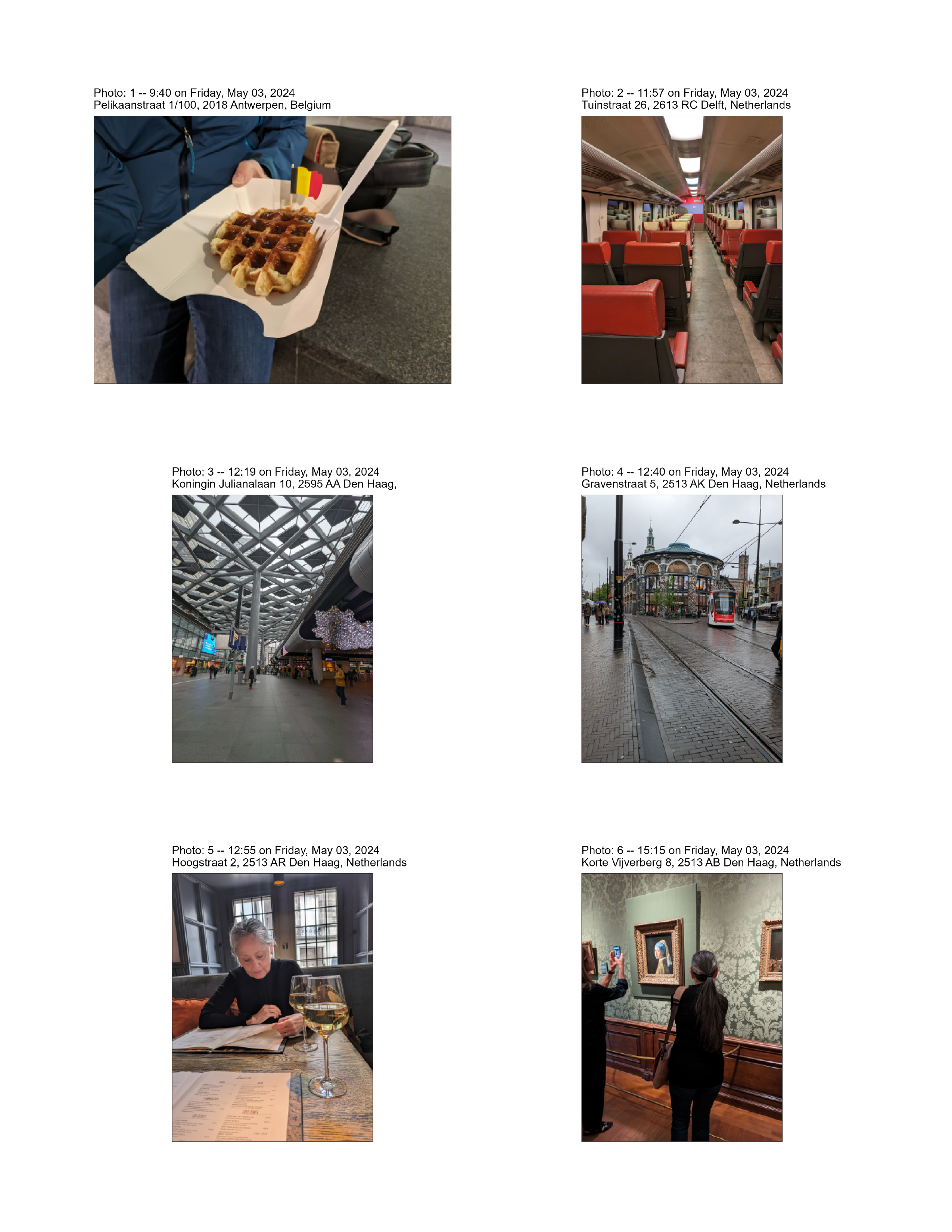
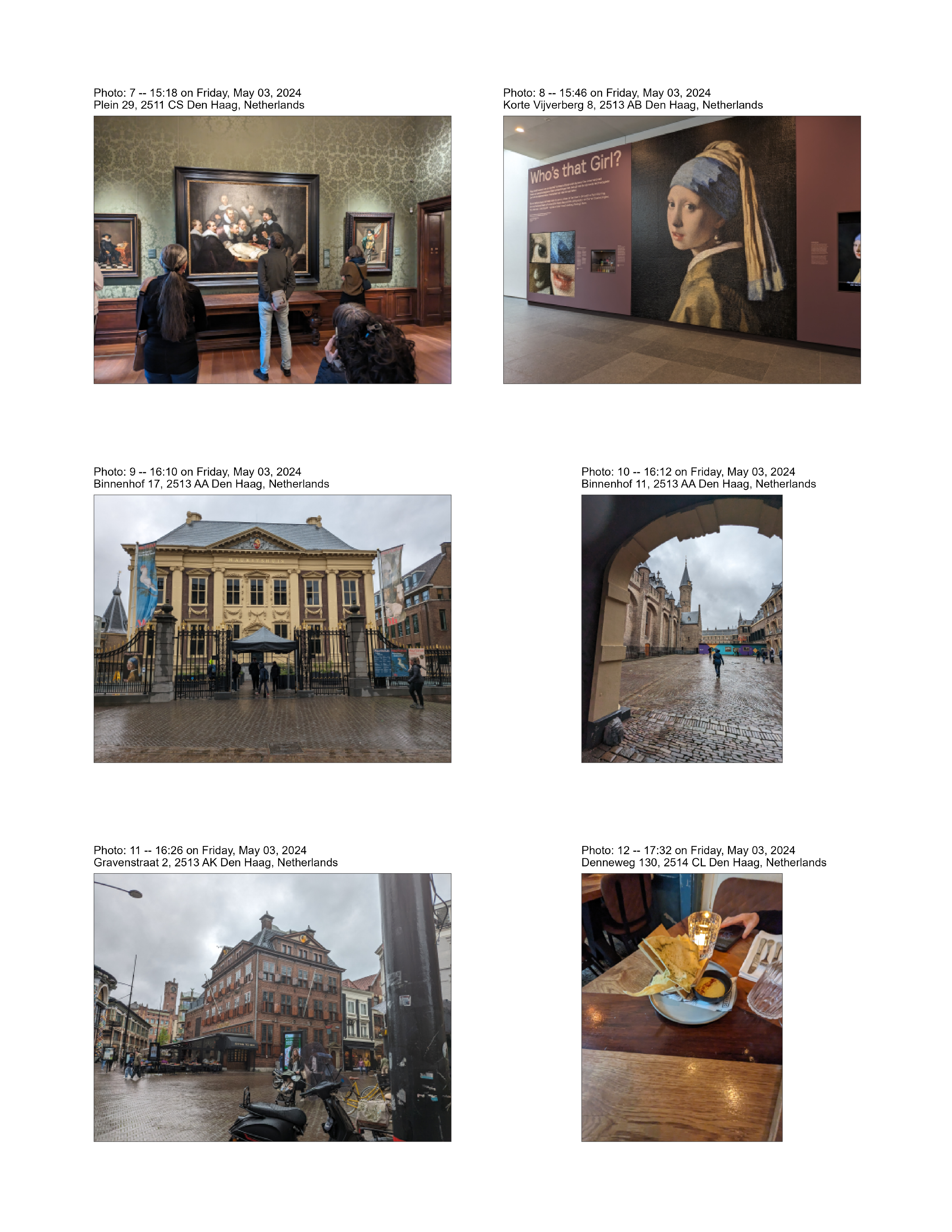
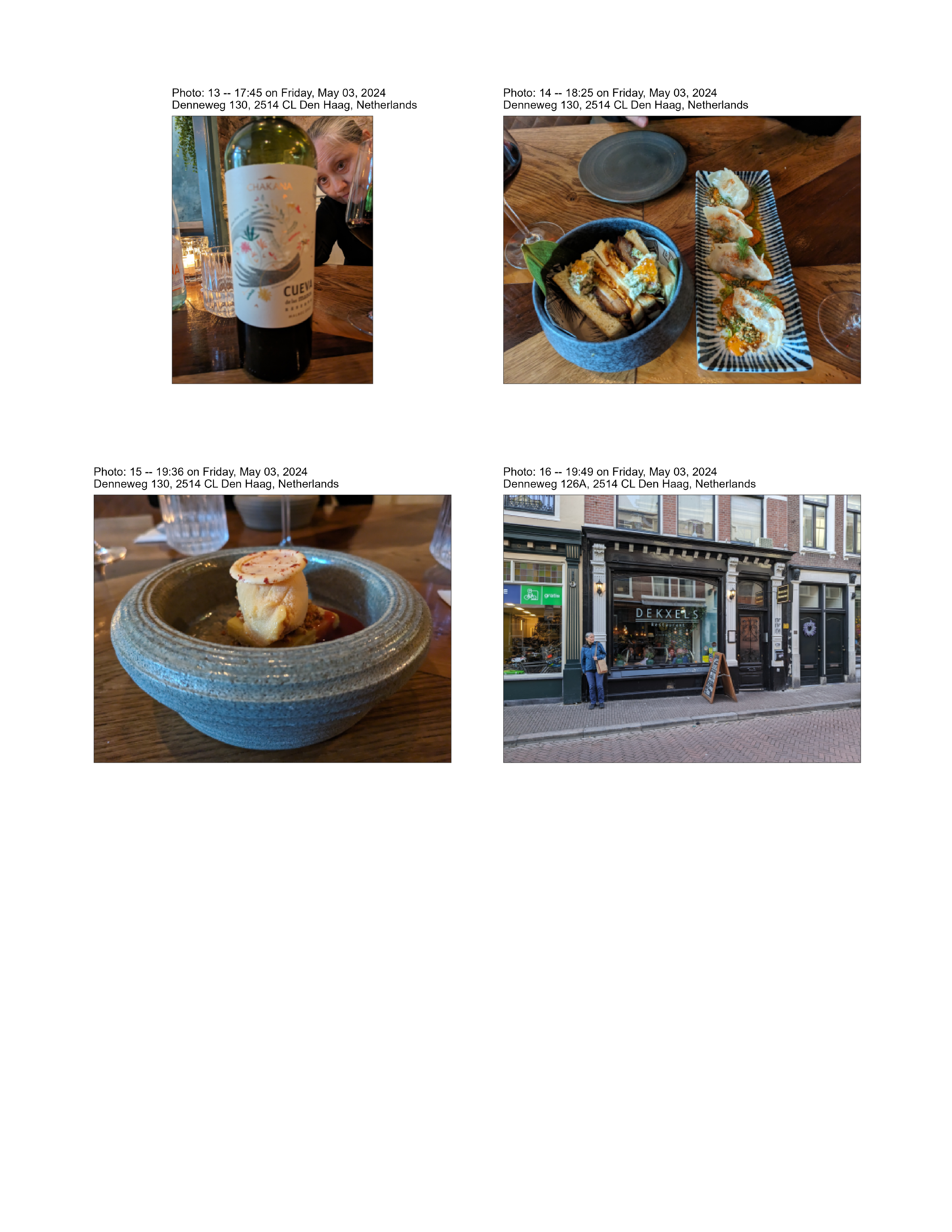
Photo sheets show thumbnail images of the photos, along with captions with the date, time and location of the photo.
Future Task: Place the LLM-generated caption (see Image Interpretation chapter) on each thumbnail.
Show the code
## Create a blank image and save it.## This is used later when images are printed.blank <- magick::image_blank(width=640, height=480, color ="white", ##pseudo_image = "", defines =NULL)blank_location <-paste0(files_folder,"/z_blank.png")magick::image_write(image=blank,path=blank_location)## Get a list of the photos, including the photo names.file_location <-paste0(files_folder,"/photo_info.txt")photo_list <-read.table(file = file_location)## Number of photos.n_photos <-nrow(photo_list)## Round the number of files up to a multiple of 6files_ceiling <-ceiling(n_photos/6) *6## Process each labeled small picture, one at a timepage_no <-0for(i in1:files_ceiling){## Up to six images per page## Count by six img_no <-mod(i-1,6) +1## Build a name for the temporary grob image img_name <-paste0(thumbs_folder,"/photo_",i,".png")if(!file.exists(img_name))img_name <- blank_locationif(img_no ==1) img1g <-grob_image(img_name)if(img_no ==2) img2g <-grob_image(img_name)if(img_no ==3) img3g <-grob_image(img_name)if(img_no ==4) img4g <-grob_image(img_name)if(img_no ==5) img5g <-grob_image(img_name)if(img_no ==6) img6g <-grob_image(img_name)## Things to do when the images fill a pageif(img_no ==6){## Keep track of the page count page_no <- page_no +1## Make a montage page <-grob_layout(grob_row(grob_col(img1g),grob_col(img2g) ),grob_row(grob_col(img3g),grob_col(img4g) ),grob_row(grob_col(img5g),grob_col(img6g) ),height =279.4, width =215.9) ## File name for the PDF & PNG files. pdf_name <-paste0(files_folder,"/page_",page_no,".pdf") png_name <-paste0(files_folder,"/page_",page_no,".png")## Put the page into a PDF file.grob_to_pdf(list(page),file_name = pdf_name)##meta_data_title = paste0("page_",page_no))## Make the PDF page into a PNG file. bitmap <-pdf_render_page(pdf_name, page =1, dpi =300)## Output the PNG file. png::writePNG(bitmap, png_name) } ## end img_no section } ## end for loop## Remove the blank image.file.remove(blank_location)
[1] TRUE
1.7 Show photo sheets
The photo sheets are stored. Here is where they get put into the document.
Show the code
####### NOT WORKING## How many sheets.sheets <-list.files(path=files_folder, pattern="*.png", full.names=TRUE, recursive=FALSE)n_sheets <-length(sheets)for (i in1:n_sheets) { page_image <- sheets[i] page_file <-paste0("\n\n")##cat(":::\n")##cat(page_file)##cat(":::\n\n")}